Travel Scam & Digital Security Checklist for Safer Trips
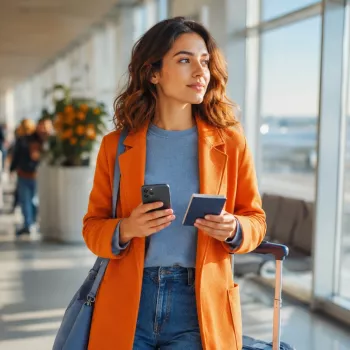
Travel Security & Scam Awareness Guide: a calmer way to stay alert
Travel should feel exciting—not like a constant exercise in watching your back. Our team built the Travel Security & Scam Awareness Guide as a practical, quick-reference digital handbook for tourists, solo travelers, and professionals on business trips who want clear steps for staying safe, keeping accounts secure, and reducing the chance of being targeted. The goal isn’t to make you fearful—it’s to give you a simple routine that holds up in airports, hotel lobbies, transit, and crowded streets.
Who this handbook is for (and when it matters most)
If you’re moving through unfamiliar places with a phone, cards, and reservations, you already have what scammers want: attention, time pressure, and a moment of distraction. This guide is most helpful for:
- Tourists navigating unfamiliar cities: crowded attractions, transit hubs, and nightlife zones where distractions are used to create openings for theft or overcharging.
- Solo travelers: routines that reduce isolation risk, improve situational awareness, and create a reliable check-in system without killing spontaneity.
- Business trips: higher exposure to targeted theft, invoice/payment scams, shoulder-surfing, and device compromise when working from airports, hotels, and conferences.
- Any traveler using phones, cards, rideshares, eSIMs, or public Wi‑Fi: digital security habits matter as much as physical precautions.
Common travel moments and the safest default move
| Travel moment | What scammers rely on | Safer default |
|---|---|---|
| Arrival at airport/train station | Fatigue + confusion + urgency | Pause, verify directions, and ignore unsolicited “helpers” until plans are confirmed in-app or at official counters |
| Checking into lodging | Front-desk impersonation + urgency | Confirm with the property directly; never share booking/ID details with someone who called you first |
| Using public Wi‑Fi | Man-in-the-middle + fake hotspots | Use mobile data or a trusted VPN; avoid banking and sensitive logins on public networks |
| Paying at busy venues | Distraction + card skimming + overcharge | Use tap-to-pay where possible; keep the card in sight; review totals before approving |
| Rideshare/taxi pickup | Impersonation + route manipulation | Match plate/driver; confirm destination in-app; share trip status with a trusted contact |
Set up digital safety before departure (10–15 minutes that pays off all trip)
The best “anti-scam” move happens before you leave. When your accounts and device are hardened, a bad moment (lost phone, stolen wallet, compromised Wi‑Fi) is less likely to turn into a cascade.
- Lock down accounts: enable multi-factor authentication on email, banking, and primary social accounts; update passwords for anything that could be used to reset other logins.
- Harden the phone: use a strong passcode (not a 4-digit PIN), confirm encryption is enabled, and test Find My Device/Find My iPhone.
- Backups and recovery: confirm cloud backup is current; store emergency recovery codes offline (not only inside the phone).
- Payment safety: turn on transaction alerts; set travel notifications where relevant; bring a backup card stored separately.
- Connectivity plan: prefer mobile data/eSIM for everyday use; treat public Wi‑Fi as a last resort.
- Document readiness: keep a secure copy of passport/ID and key reservations accessible offline; note embassy/consulate info.
If you want this distilled into a repeatable checklist you can reuse, our team recommends keeping Travel Security & Scam Awareness Guide | Digital Safety Handbook for Tourists, Solo Travelers & Business Trips saved on your phone for quick access while you’re in motion.
Street-smart scam patterns to recognize quickly
Most scams share the same engine: they steal your attention first, then your decision-making time. When you recognize the pattern, you can shift into “verification mode” before anything is lost.
- Distraction plays: spills, staged arguments, sudden crowds, and “helpful” strangers that pull your focus away from pockets, bags, and payment screens.
- Pressure and urgency: any situation pushing a rushed decision—pay now, sign now, follow now—should trigger a pause.
- Authority impersonation: fake officials, fake security, and “hotel staff” calls that ask for documents, payments, or one-time codes.
- Too-good-to-be-true offers: “free” items or surprise upgrades that turn into forced payment or separate you from valuables.
- ATM and currency tricks: dynamic currency conversion, shoulder-to-shoulder “help,” or unfamiliar machines in low-visibility areas.
Solo traveler routines that lower risk without limiting freedom
Business trip security: protect devices, data, and payments
How to use the guide during a real trip (a simple rhythm)
Pair it with a lighter, calmer travel plan
Overpacked bags and chaotic packing make you easier to distract—because you spend more time digging, juggling, and setting items down. A simpler kit is easier to keep close and track in crowds. For a streamlined companion resource, our team pairs this handbook with Minimalist Travel Packing Planner | Digital Packing Guide for Light, Smart & Stress-Free Trips to help you build an intentional carry system that supports your security habits.
Trusted resources for travel and cyber guidance
- U.S. Department of State — Overseas Security Advisory Council (OSAC)
- Federal Trade Commission — Scams and Consumer Advice
- National Cyber Security Centre (UK) — Travel and working away guidance
FAQ
Does scam awareness apply even in “safe” tourist destinations?
Yes—scams cluster around high-traffic, high-distraction areas everywhere. The most reliable protection is sticking to simple routines: slow down, verify before you pay or share info, and keep valuables secured during transitions.
What are the best first steps if a phone is lost or stolen while traveling?
Immediately use your device’s find-my service to lock, locate, or wipe it, then change your primary email password and revoke active sessions. Freeze cards and mobile wallets, contact your carrier to lock the SIM, and file a local report if required for insurance or replacement.
Is public Wi‑Fi ever safe to use on a trip?
Use it as a last resort and avoid sensitive logins like banking, password managers, or account recovery. If you must connect, confirm the exact network name with staff, use a trusted VPN, and disconnect once you’re done.












Leave a comment